


Locaty - GPS Location Share
3.87.00 Reviews
App Specs
- Version
- 1.0.10
- Updated On
- License
- Free
- Downloads
- 100,000+
- Developer
- XFree Dev Team
- Categories
- Maps & Navigation
- Platform
- Android
Screenshots
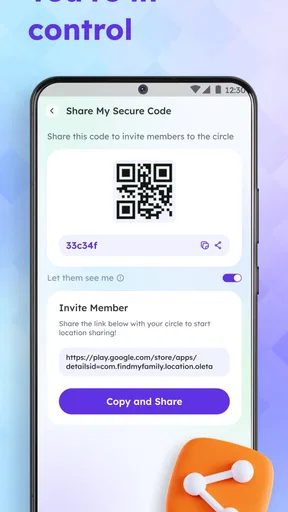
 Analysis by AppCompare
I see Locaty - GPS Location Share as a simple companion for coordinating with people I trust, rather than a replacement for a full navigation app. Its appeal is the shared view of where a group is, with alerts and location controls built into the idea. That can make everyday plans less fiddly, but it also means the app is only useful when everyone involved is comfortable sharing their location and remembers to manage it thoughtfully.
A focused tool, not a complete navigation system
Location sharing solves a particular problem: it helps people find one another without a stream of “Where are you?” messages. It does not automatically answer every travel question. If I need turn-by-turn directions, public transit options, or a carefully planned route, I would still reach for a dedicated maps app. I think of Locaty as a layer for coordination alongside those tools, not a substitute for them.
That distinction matters when choosing an app. A conventional map is built around places and routes; a location-sharing app is built around people and whether they are visible to one another. The latter is more useful when plans are changing in real time, such as meeting friends after arriving at a busy venue. It is less useful if the main task is finding a destination or navigating unfamiliar streets.
Sharing works best when the group agrees on the rules
Before inviting anyone, I would settle a few simple expectations: who should be in the group, when sharing is appropriate, and when people should switch it off. A shared map can save time, but it can also feel intrusive if someone assumes visibility is always expected. The control to turn visibility on or off is meaningful only when people know how and when they want to use it.
A practical habit is to treat location sharing as a plan-specific convenience rather than a permanent obligation. For a day out, agree to use it while everyone is travelling and regrouping, then check that sharing is off when the outing is over. This keeps the feature useful without making constant monitoring the default. It is especially important with children: the app can help a parent coordinate, but it should support conversation and agreed boundaries rather than replace them.
Alerts are most useful when they reduce check-ins
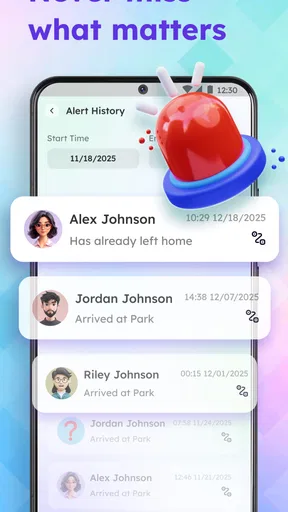
The app’s summary mentions alerts, which points to a potentially helpful way to make coordination less hands-on. In day-to-day use, I would reserve alerts for a clear purpose—such as knowing when a family member has reached an agreed destination—rather than setting them up for every movement. Too many notifications can become background noise, and then the one message that matters is easier to miss.
It is worth considering what the group actually needs before relying on alerts. If the goal is simply to meet at a café, a shared location may be enough; if people are travelling separately to a rendezvous, a small number of relevant alerts could cut down on calls. The benefit depends on the group’s routine, so I would start with the simplest setup and add alerts only when they solve a recurring problem.
Worth Reading Before You Choose

EA SPORTS FC Mobile 26 Is a Bigger Football Game, but It Takes Time

Flipboard Shows What News Apps Must Do Beyond the Feed

Switching to Android Auto Means Rethinking Your Driving Routine

Google Calendar Makes a Crowded Week Easier to Manage

Ludo King Makes the Most of the Minutes Between Plans

Baby Panda World Brings Quick Play to Modern Phones, but Its Game Library Feels Busy
Getting Started with Locaty
First things first, setting up Locaty - GPS Location Share is a breeze. You just download it from the app store, sign up, and you’re good to go. The interface is super clean and user-friendly. No clutter, no confusion - just a straightforward design that gets the job done. You know those apps that try to do too much and end up doing nothing well? This isn’t one of them.
Features That Stand Out
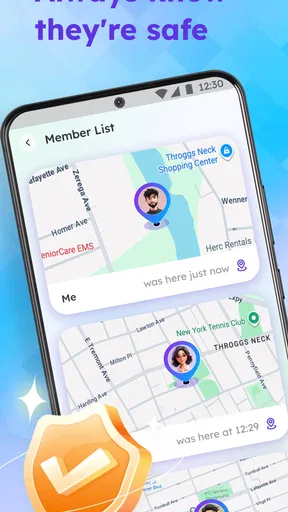
Now, onto the cool stuff. What I really love about Locaty is its real-time location sharing feature. It’s precise and accurate, making it incredibly easy to see where your loved ones are at any given moment. Whether you’re waiting for someone at the mall or tracking a friend during a night out, it’s pretty darn reliable.
Another standout feature is the ability to create private groups. This makes it super convenient for planning meet-ups or keeping track of family members during trips. You can see everyone’s location on a single map without needing to jump between different screens. It’s like having a personal GPS network at your fingertips.
Safety First
For those concerned about privacy, Locaty doesn’t disappoint. It gives you control over who can see your location and when. You can easily toggle your visibility on and off, ensuring that your location is only shared when you want it to be. Plus, there are no annoying ads cluttering the experience, which is always a win in my book.
There is still a people-side limitation here: location sharing depends on participants having the app and agreeing to join the same group. If a friend prefers not to share, or uses a different service, the group view cannot do much to bridge that gap. I would not make a group’s safety plan depend entirely on everyone checking one map; a phone call or a clearly agreed meeting point is a sensible fallback when timing matters.
Practical Uses
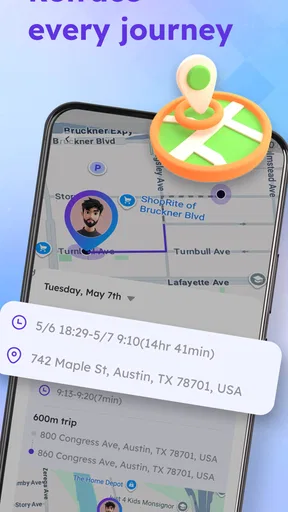
Let's talk practicality. Imagine this: you’re at a festival with a group of friends. Everyone wants to explore different areas, but you don’t want to waste time looking for each other later. Enter Locaty. You can split up and still keep track of everyone’s location. Or consider family road trips. It’s fantastic for making sure everyone’s on the right route and arriving safely.
A more ordinary example is a family arriving home at different times after school, errands, or work. Rather than sending repeated messages to ask whether someone is close, the people in the group can check the shared map and coordinate dinner or a pickup. I would still use a direct message for anything urgent: a map position can help with context, but it does not explain why someone has stopped or whether they need assistance.
I also found it useful for situations like hiking or biking in new areas. It’s reassuring to know that someone can always pinpoint your location if you hit a snag. And for those with kids, it’s a great way to keep an eye on them without being overly intrusive.
Room for Improvement
Of course, no app is perfect. While Locaty is pretty solid, there are a few areas where it could improve. Sometimes the app takes a little longer to refresh, which can be a tad frustrating if you’re in a hurry. It’s not a deal-breaker by any means, but it’s something to be aware of.
That refresh delay is a reason not to treat the map as a live safety instrument. In a crowded place, a position that has not updated recently may be less useful than a landmark, a phone call, or an agreed meeting point. I would check the context around a location rather than assume that every displayed position reflects someone’s exact current spot.
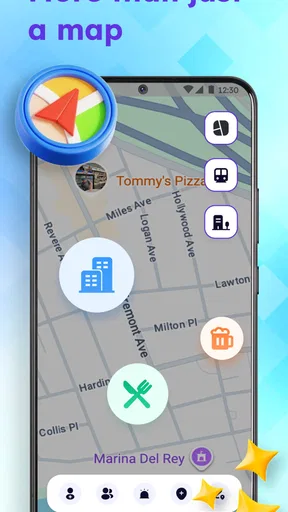
Also, while the interface is user-friendly, I’d love to see more customization options for the map. Think different themes or markers. It would add a personal touch that makes the app feel more tailored to individual preferences.
Who will get the most from it
The best fit is a small, trusted circle that regularly coordinates in person: families managing pickups, friends meeting at a large event, or travel companions who may temporarily split up. The private-group approach is more relevant to those situations than a public map or a one-off location pin sent in a chat. It gives a group a shared reference point instead of making one person relay everyone’s whereabouts.
For occasional meetups, a messaging app’s one-time location share may be enough and may require less setup. For navigation, a standard maps app remains the better choice. I would skip Locaty if I did not want to share my location, if my usual contacts would not join, or if I needed a tool for emergency response, route guidance, or dependable outdoor safety. Its usefulness is strongest when the need is everyday coordination, not when the stakes require specialist equipment or a guaranteed connection.
Cost, availability, and fit
Locaty is a free app from XFree Dev Team in the maps and navigation category. It is rated for Everyone, and the listed in-app purchases range from $2.99 to $12.99 per item. I would start by deciding whether its basic location-sharing workflow suits my group before paying for anything; the presence of purchases makes it sensible to check what an optional item adds and whether I actually need it. There is little value in buying extras before confirming that the people I want to coordinate with will use the app.
The current version is 1.0.8, and it requires Android 7.0 or later. It has over ten thousand installs, which gives a prospective user a sense of its current reach, but that figure alone says nothing about whether it will fit a particular family or friend group. The app was released on May 8, 2026. For iPhone owners, I would check the relevant Apple store before planning a group around it; the Android version’s requirements do not establish which devices every participant can use.
Final Thoughts
Overall, Locaty - GPS Location Share is a fantastic tool for anyone looking to stay connected and safe. It’s easy to use, packed with useful features, and respects your privacy. Whether you’re a parent, a traveler, or just someone who likes to know what’s up, this app is worth checking out.
If you’re curious, give it a try! You might find it becomes an essential part of your daily routine, just like it has for me. Happy tracking!
Pros
- Easy real-time location sharing.
- User-friendly interface.
- Low battery consumption.
- Customizable privacy settings.
- Works offline with saved locations.
Cons
- Requires constant internet connection.
- Limited free features.
- In-app ads can be intrusive.
- Lacks integration with other apps.
- Occasional GPS accuracy issues.
FAQs for Locaty - GPS Location Share
What is the primary function of Locaty - GPS Location Share?
Locaty - GPS Location Share is designed to help users share their real-time location with friends, family, or colleagues. It provides a secure platform for location sharing, making it ideal for coordinating meet-ups or ensuring safety during travels. This app is particularly useful for families or groups who need to keep track of each other.
Is Locaty - GPS Location Share secure and private?
Yes, Locaty prioritizes user privacy and security. The app uses encryption to ensure that your location data is shared only with the people you choose. Users have full control over who can see their location and can stop sharing at any time. It’s crucial to review the app’s privacy settings to customize your sharing preferences.
How accurate is the location tracking in Locaty?
Locaty uses advanced GPS technology to provide highly accurate location tracking. However, accuracy can vary based on environmental factors such as tall buildings, dense forests, or poor satellite visibility. The app typically updates location in real time, but users should expect slight delays depending on network conditions.
What are the compatibility requirements for Locaty?
Locaty is compatible with both Android and iOS devices. It requires a stable internet connection—via Wi-Fi or mobile data—for real-time location sharing. Users should ensure their device’s GPS is enabled for optimal performance. The app generally supports most devices running on recent versions of Android and iOS.
Does Locaty consume a lot of battery power?
Like most GPS-based applications, Locaty may consume more battery power than regular apps due to continuous location tracking. However, the app is optimized to minimize battery usage wherever possible. Users can manage battery consumption by adjusting location update frequency and utilizing the app’s energy-saving settings.


